EcomViz Browser Extension
Extract product images directly from webpages and send them to EcomViz AI for processing with one click, improving your work efficiency
Choose Your Browser
Powerful Features, Easy to Use
One-click Image Extraction
Extract product images directly from any webpage without manual downloading and uploading, saving time and effort.
Seamless Integration
Seamlessly integrates with the EcomViz AI system, automatically sending extracted images to the system for processing and generation.
Improved Efficiency
Significantly improves work efficiency, allowing you to quickly process large numbers of product images and focus on business growth.
Installation Guide
Chrome Browser Installation Steps
- Download EcomViz-ext-chrome.zip file
- Open the browser and go to the extensions management page: chrome://extensions/
- Enable "Developer mode"
- Drag the ZIP file directly to the extensions management page, or click "Load unpacked" and select the unzipped folder
Edge Browser Installation Steps
- Download EcomViz-ext-chrome.zip file
- Open the browser and go to the extensions management page: edge://extensions/
- Enable "Developer mode"
- Drag the ZIP file directly to the extensions management page, or click "Load unpacked" and select the unzipped folder
Firefox Browser Installation Steps
Firefox extension coming soon, stay tuned!
Usage Tutorial
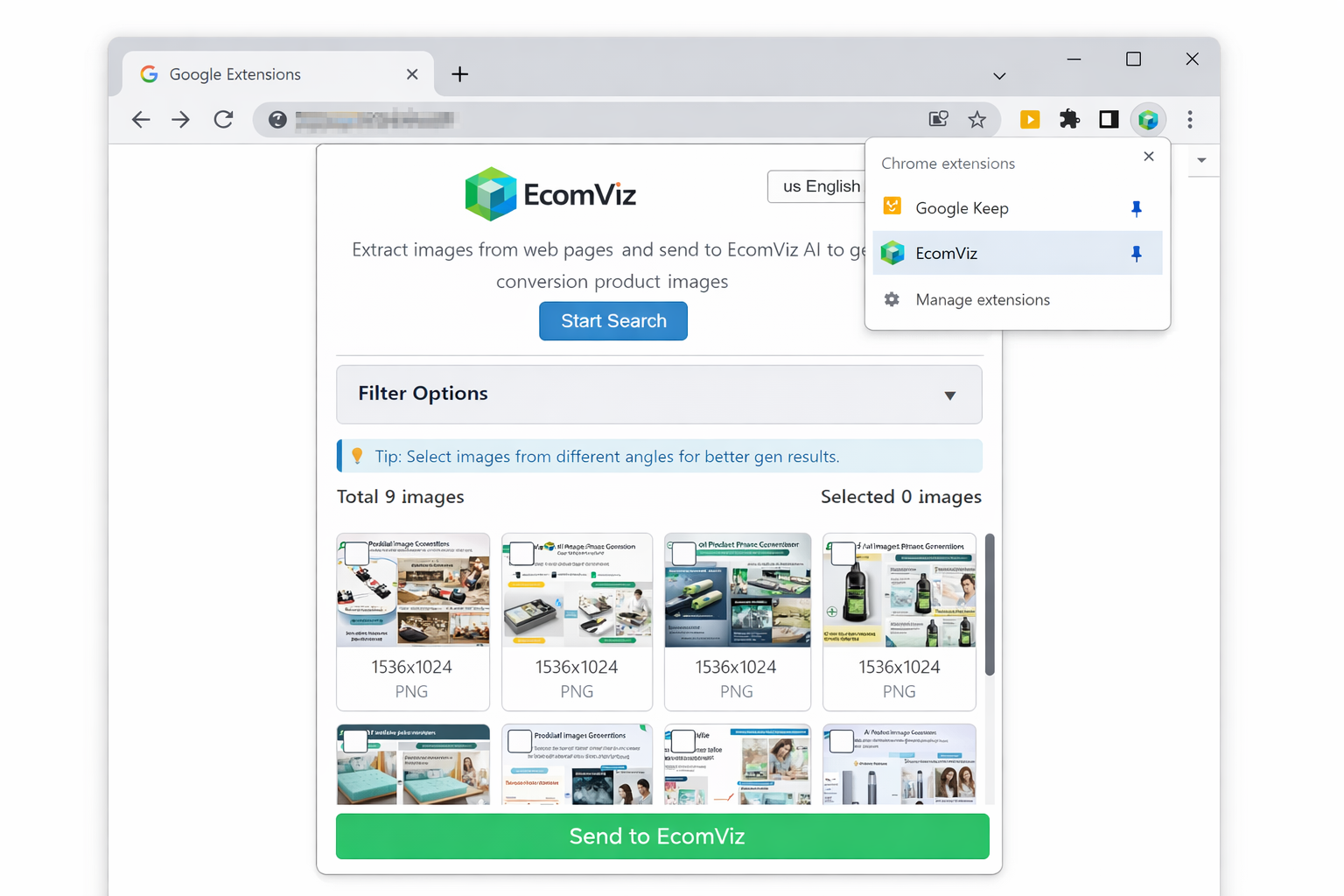
Open the Extension
Click the EcomViz extension icon in the upper right corner of the browser to open the extension panel.
Select Images
In the extension panel, select the product images you want to extract, multiple selection is supported.
Send for Processing
Click the "Send to EcomViz" button, and the images will be automatically sent to the system for processing.
Frequently Asked Questions
Which browsers does the extension support?
Currently supports the latest versions of Google Chrome, Microsoft Edge, and Mozilla Firefox browsers.
Is the extension free to use?
Yes, the EcomViz browser extension is completely free to use and works best when paired with the EcomViz main system.
Does the extension collect my data?
The extension only collects the image data you select and sends it to the EcomViz system for processing, it does not collect other personal information.
How to update the extension?
When a new version is released, you will receive an update notification, or visit this page regularly to download the latest version.
What to do if the extension installation fails?
Please ensure your browser version is up to date and follow the correct installation steps. If the problem persists, please contact our technical support.
What types of images can the extension extract?
The extension can extract all images on webpages, including product main images, detail images, etc., especially suitable for extracting product images from e-commerce websites.
Start Using EcomViz Browser Extension
Improve your work efficiency and easily handle product images
Learn More